

63 reports, plus your own.
Every figure in Wanbooks has a report behind it, ready on the first day. Print it, save it as a PDF or send it on WhatsApp in one click, and make your own with the Report Builder.
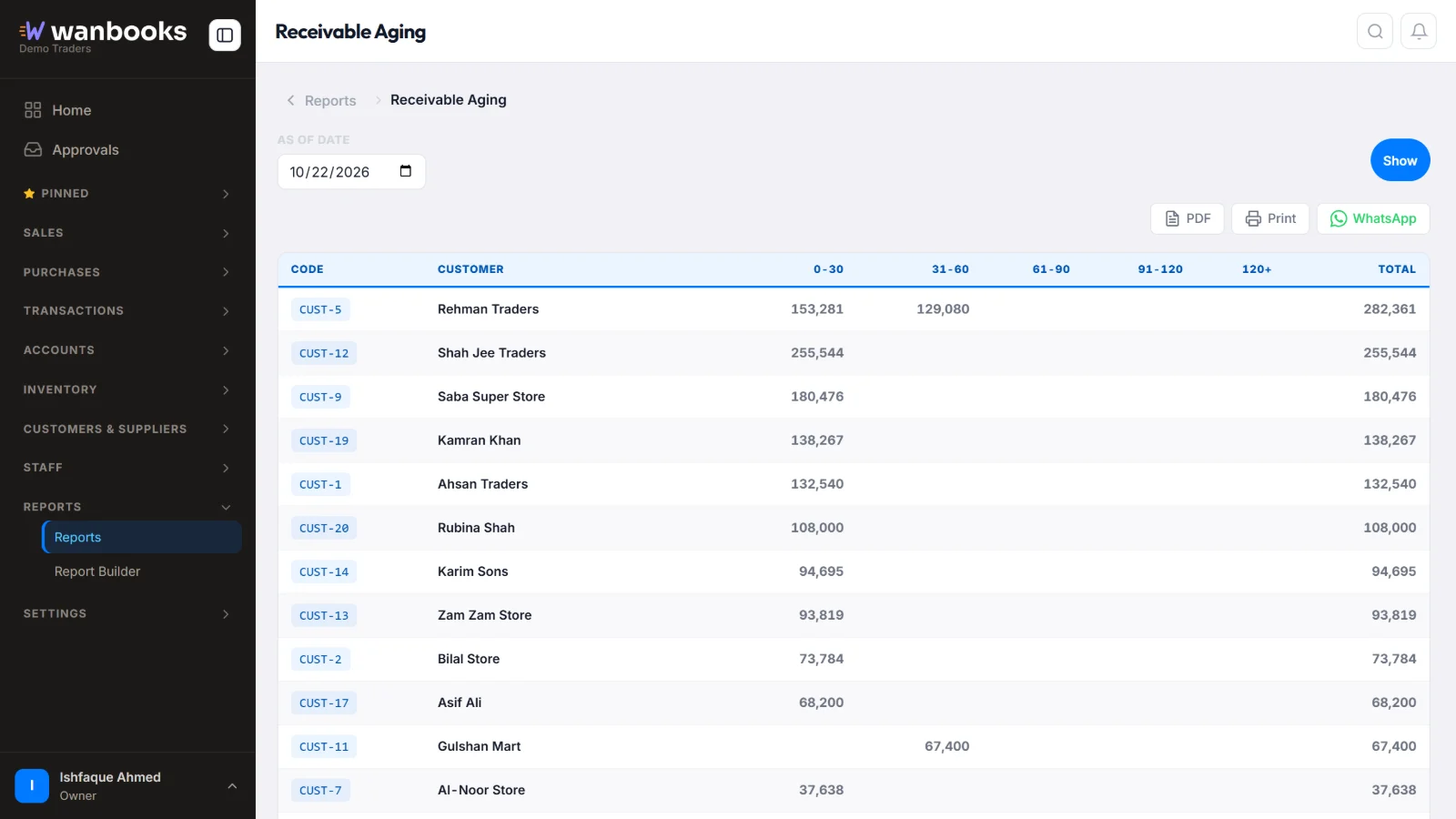
Pick the date, press Show, then print it, save a PDF or send it on WhatsApp. Sample data from a demo company.
Every part of the business, reported
- AccountingLedgers, day book, cash and bank books, trial balance, profit and loss, balance sheet and cash flow.
- OutstandingCustomer and supplier outstanding, ageing, bill-wise receivable and payable, overdue bills.
- Sales and purchasesRegisters, and sales by product, customer, salesman and area, month by month.
- StockStock summary with value, stock ledger, stock ageing, reorder level and negative stock.
- SalesmenCollections, performance and outstanding by salesman, and sales against recovery.
- Report BuilderPick the columns and filters you need and save your own report for next time.
63 reports ready on day one
| Area | Reports | Includes |
|---|---|---|
| Accounting | 12 | Ledger, day book, cash and bank book, trial balances, profit and loss and balance sheet (with comparisons), cash flow |
| Receivables & payables | 7 | Customer and supplier outstanding, ageing, bill-wise receivable and payable, overdue bills |
| Sales | 7 | Sales register; by product, customer, salesman and area; monthly; top analysis |
| Purchase | 5 | Purchase register; by product and supplier; monthly; company details |
| Inventory | 6 | Stock summary with value, stock ledger, stock ageing, reorder level, negative stock |
| Salesman | 3 | Collections, performance and outstanding by salesman |
| MIS & analysis | 4 | Recovery analysis, sales vs recovery, profit per item and per company |
| Scheme & points | 4 | Scheme performance, customer and product points, redemptions |
| Tax | 1 | Tax report |
| Installments | 14 | Plans, installments due and late, late money by age, defaulters, payment reminders, collections and collection rate, expected collections, profit, sales summary, customer history, processing and late fees |
About reports
Can I print reports?
Yes. Every report prints on any printer, saves as a PDF, or goes on WhatsApp in one click.
Can I open the bills behind a figure?
Yes. Every total opens the exact list of entries behind it.
What if the report I need is not there?
Make it with the Report Builder: choose the columns and filters and save it.
See Wanbooks with your own products.
Leave your WhatsApp number.
We'll call or message you to set up a demo.
- +92 333 2392852