

Every installment in view.
Set up an installment plan with the sale, then see every day what is due, what is late and what has been collected. Late fees and reminders are worked out for you.
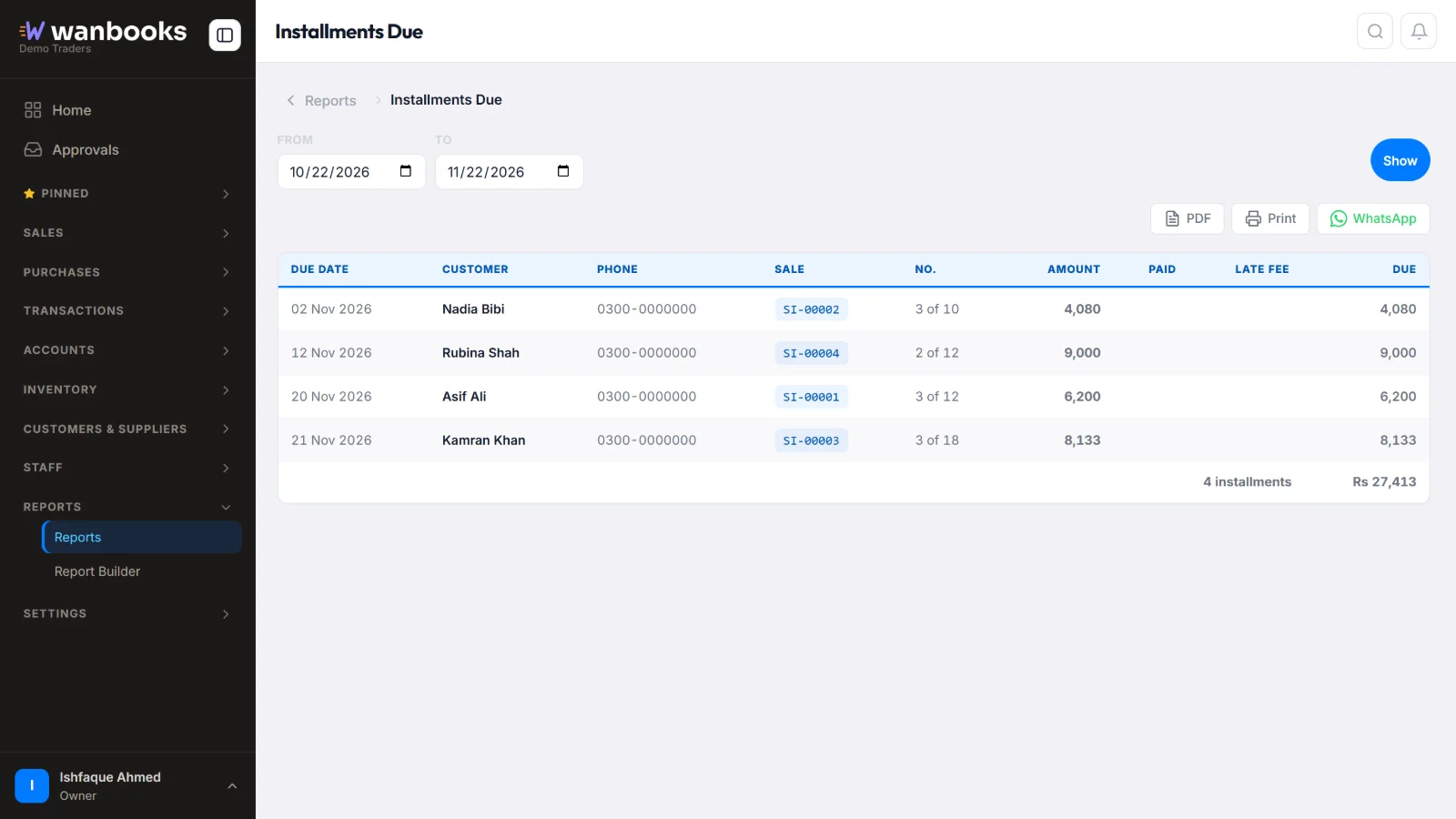
Who must pay, which installment it is, and how much. Sample data from a demo company.
Every installment, in view
- Installment plansChoose the down payment, the number of installments and the dates when you make the sale.
- Due and lateSee what is due today, this week and what is already late, for every customer.
- Late feesAgree the late fee with each plan, and it is added when a payment is late.
- RemindersSend customers a payment reminder on WhatsApp before or after the due date.
- GuarantorsKeep the guarantor's details with every plan.
- Collection rateKnow how much of what was due actually came in, and what to expect next.
The details
Customers
- Full installment history
- Defaulters list
- Customer account link on WhatsApp
Money
- Collections by day and month
- Expected collections
- Profit on installment sales
Reports
- 14 installment reports
- Late money by age
- Processing and late fees
About installments
Can I take a down payment?
Yes. Enter the down payment with the sale, and the rest is split into the installments you choose.
Does it remind customers?
Yes. Send payment reminders on WhatsApp from your company's own number.
Do installment payments go into the accounts?
Yes. Every installment received posts to the customer's account and the cash or bank book by itself.
See Wanbooks with your own products.
Leave your WhatsApp number.
We'll call or message you to set up a demo.
- +92 333 2392852